Showing posts with label internet. Show all posts

Thursday, October 6, 2016

Facebook Just Introduces Marketplace, A Platform for Buying and Selling

Earlier today, Facebook unveiled the Marketplace feature which assists users in buying and selling of items. This initiative is not a new one, the tech giant introduced something similar around nine years ago.
With over 757 million daily users on Facebook, around 450 million active users are already making use of Facebook groups to buy and sell each month in their locality. Facebook Marketplace is fully functional on the Facebook app for iPhone and Android for now.

By tapping on the shop icon positioned at the bottom of the Facebook app, users are directed to a home page with an assortment of photos of items listed by nearby users. The search option can be used to refine your results based on location, category or price.
To contact sellers, messages can be sent as users’ real profiles and the details of the product are easily accessible. Marketplace is completely free to use. Selling an item involves uploading a photo, entering a product name, description and price, confirming your location and posting.
Concerning the security and privacy of the users, Bowen Pan, the project manager has this to say:
It has well as a whole host of flags that people that can put out for people that may not be acting in the best faith. Once we see a flag, we have a team that will promptly review these and take action. Still, Facebook won’t take responsibility if you get ripped off, and it certainly will not get involved if someone decides to assault you and steal your item at the designated meeting place.
 The feature will be rolled out to users over the age of 18 years in the US, UK, Australia, and New Zealand in a matter of days. It will be available to other countries as time goes on. Facebook also plans to make it available for desktop users in a few months time.

Wednesday, October 5, 2016

Israeli Company Can Crack Any Smartphone’s Password

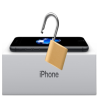
Remember that FBI-Apple encryption dispute that dragged on earlier this year? Well apparently, there is an Israeli company that claims to be able to crack the password of any smartphone in use today. Incidentally, this was the same company that helped the FBI gain access to the data on the locked iPhone 5C that Apple refused to open. That right folks, the FBI turned to Cellebrite to unlock San Bernardino shooter Syed Farooks’ iPhone 5C. Mr. Yuval Ben-Moshe of Israel-based Cellebrite told the BBC that his firm could break into “the largest number of devices that are out there in the industry”. Not even the new iPhone 7 is safe. Mr. Ben-Moshe was pretty confident that they could hack an iPhone 7 too. According to the company’s website, “Cellebrite is the world leader in delivering cutting-edge mobile forensic solution”. Their Universal Forensic Extraction Device (UFED) can extract, decode, analyze, and report data from smartphones, tablets, portable GPS devices, and memory cards.
Cellebrite’s mobile forensics technology equipment consists of standalone devices, software based mobile devices, field operations devices, GPS units, and forensics software that detects communication and movement patterns. The procedure for extracting data is as simple as plugging a smartphone to the Cellebrite device and activating the software. A few button presses later, the phone is unlocked, and data can be extracted and analyzed. Cellebrite has clearly proven that smartphones and other devices can be hacked for the right reasons. But in the wrong hands no one’s privacy safe. We can only hope that companies continue to develop encryption technologies that keep user privacy protected one hack at a time.

Monday, October 3, 2016

4 important Celebrity iOS Apps that Are Actually Useful and Worth Downloading

Celebrity influence on consumer behavior is undeniable. Take actress Lupita Nyong’o. She just dropped a $24 Clarin’s lip balm into the “tip hat” at the 2014 Oscars. The lip balm immediately sold out. Not because of a commercial or magazine ad but because of a real-time association with the actress. It’s not surprising that this excitement to try anything famous people use or recommend carries over to celebrity iOS apps.

Apps by celebrities are always big news, but they aren’t always useful. Often the famous name is meant to make up for the fact that an app is a dud. Still, there are a few notable celebs who lent their names to products that are actually pretty good. Here are some of the best celebrity iPhone apps around.

 Kim Kardashian: Hollywood? I can hear your eyes rolling from all the way over here. Can a person who many consider famous just for the sake of being famous have a solid app? Well, in Kim Kardashian-West’s case, she most certainly can. Kim K.’s “Hollywood” app is an insanely popular guilty pleasure game. The premise is a simple one: get famous and stay that way!
Fans of the game were so addicted that they had a meltdown when the game went down. Whether you like the Kardashians or not, you can’t argue with the app’s runaway success. The app is free to use with in-app purchases.

William Shatner’s Shatoetry app borrows from Shatner’s particular style of poetry. The app “lets you arrange words to compose sentences, statements, phrases, and messages.” You can then listen to William Shatner himself speak the text you’ve created. You have the option of saving your “Shatisms” or sharing them with friends.Shatoetry is a fun iOS app for finding your inner poet – or geeking out with your fellow Star Trek fans. You can own it for $0.99.
The user is encouraged to interact with the music in interesting ways. For instance, MoMa references the song “Solstice.” In the app the song becomes a nifty space exploration tool. You can control a set of planets, the distance from their star, and even adjust their orbits. Bjork’s Biophilia, which costs $12.99, is definitely a unique celebrity iOS app.
 The Hanx Writer app by Tom Hanks brings the typewriter to the iPhone. Yes, you get the typewriter sound effect. You also get the absolute lack of a “delete” function. The point of the app is to write. Not second guess or fret over the inevitable typo … just write.
A document made with Hanx Writer “can be emailed, printed, and shared and has its own unique statement-making personality. ” The app is free to download, with in-app bundles available for purchase.
You’ll notice an interesting pattern with these apps:
  • Kim K.’s app was a game all about shallow fame.
  • Bjork’s app meshed music with innovation and art.
  • William Shatner called on his unique style of speaking and poetry.
  • Tom Hanks honed in on writing.

Thursday, September 29, 2016

Google Cloud Storage: A Powerful, Simple and Cost Effective Object Storage Service.

Powerful & Simple Storage

Google Cloud Storage offers developers and IT organizations durable and highly available object storage. Google created three simple product options to help you address the needs of your applications while keeping your costs low. These three product options use the same API, providing you with a simple and consistent method of access. 


Low Cost & No Minimum Fees

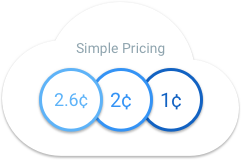
With no minimum fee and a pay for what you use model, Google Cloud Storage capacity pricing is the most cost effective in the market. In addition, with lifecycle management
Google Cloud storage allows you to reduce your costs even further by archiving your objects to Cloud Storage Nearline and through scheduled deletions.


High Performance, Durability & Availability

Store your data on Google's infrastructure with very high level of durability and availability. Google Cloud Storage stores and replicates your data allowing a high level of persistence.


Safety, Privacy, & Security

Google Cloud Storage is built with a replicated storage strategy. All data is encrypted both in-flight and at rest. The Google security model is an end-to-end process, built on over 15 years of experience. 


Cloud Storage Features

A Powerful, Simple and Cost Effective Object Storage Service


  • Durable
    Google Cloud Storage is designed for 99.999999999% durability. It stores multiple copies redundantly across multiple locations, with automatic checksums to ensure data integrity.
  • Available
    All storage classes offer very high availability. Standard storage offers 99.9% monthly availability in its Service Level Agreement. Google Cloud Storage Nearline and DRA offer 99% monthly availability.
  • Scalable.
    Google Cloud Storage is almost infinitely scalable. Whether you're supporting a small application or building a large, multi-petabyte system, Cloud Storage can handle it.
  • Consistent
    Guarantee that when a write succeeds, the latest copy of the object will be returned to any GET, globally (applies to PUTs new or overwritten objects and DELETEs) 

The Beginner's Guide to the Cloud

"The cloud" is one of those trendy tech terms a lot of people use but can't clearly define. What is the cloud? When do you encounter it? How can it benefit your business?
If you use any kind of social media or online data drive, you're already using the cloud; you just may not realize it.

In this beginner's guide, we break down the who, what, where and why of one of tech's most abstract terms.


What is the cloud exactly?

The first thing you should understand about the cloud is that it is not a physical thing. The cloud is a network of servers, and each server has a different function.
Some servers use computing power to run applications or "deliver a service."
For example, Adobe recently moved its creative services to the cloud. You can no longer buy the Creative Suite (Photoshop, InDesign, etc.) in a box set. Instead, you must pay a monthly subscription fee to use each individual service. That's why it's now called the "Adobe Creative Cloud" instead.
Other servers in the network are responsible for storing data.
For example, when you take a picture on your smartphone, it is stored on your phone's internal memory drive. However, when you upload the photos to Instagram, you are uploading it to the cloud.


IMAGE: Flickr, Acoustic DimensionsSo remember: "The Cloud" is a network of servers. Some servers provide an online service, like Adobe Creative Cloud, and others allow you to store and access data, like Instagram or Dropbox.
Chances are, you encounter the cloud daily. From Google Drive to SkyDrive to iCloud to Evernote, any time you store information without using up your phone's internal data, you're storing information on the cloud.

What are the benefits to working in the cloud?

The business decision to "move to the cloud" is often financially motivated. Companies used to have to buy their own hardware equipment, the value of which depreciated over time. But now with the cloud, companies only have to pay for what they use. This model makes it easy to quickly scale use up or down.
That's why the cloud is such a big deal; it doesn't just let you upload that delicious looking #foodporn (although that is important), but it also helps companies save thousands of dollars a year.
In an article on the benefits of cloud computing, SalesForce wrote, "Where in the past, people would run applications or programs from software downloaded on a physical computer or server in their building, cloud computing allows people access the same kinds of applications through the Internet."
Working on the cloud allows your company to be nimble, efficient and cost-effective. If your company quickly needs access to more resources, it can scale quickly in the cloud. Conversely, if it needs to downscale or reduce resources, it can do so just as easily. Because of this scalability, the cloud's elasticity is often compared to that of a rubber band.

A brief history of the cloud

The history of the cloud dates back as far as the 1950s. Back then, a mainframe (read: computer) was so big it took up an entire room. Because mainframes were so expensive, organizations couldn't afford to purchase a new one for each user. In response, they developed "time sharing" methods, which let multiple users share access to data and CPU time.
Today, this idea of "time sharing" is the premise of cloud computing.
Today, this idea of "time sharing" is the premise of cloud computing.The next major event in cloud computing history occurred in 1969, when J.C.R. Licklider developed ARPANET (Advanced Research Projects Agency Network) in hopes that some day everyone would be able to access data and programs from any location.
Despite these early advances, the Internet didn't feature enough bandwidth to make the cloud available to the masses until the '90s.
Professor Ramnath Chellappa was the first to use the term "cloud computing" in 1997, and in 1999, Salesforce became the first site to deliver applications and software over the Internet.
Amazon officially launched its own cloud computing platform called Amazon Web Services (AWS) in 2006. AWS provides online services to websites or client-side applications.
Chances are, you come in contact with AWS daily. Social media sites like Instagram and Pinterest use AWS to host traffic and data. In fact, AWS powers hundreds of thousands of startups and larger companies in over 190 countries worldwide.

How big is the cloud?

No one knows exactly how much space can be provided by cloud-based services like Google, Amazon or Facebook; however, according to this infographic, the cloud can store about 1 Exabyte.
But how big is an Exabyte?
An Exabyte of memory can hold the same amount of data as 4.2 million Macbook Pro hard drives. That's a lot of storage.

How secure is the cloud?

The cloud is great for storing non-sensitive information, like to-do lists on platforms like Evernote. But unsurprisingly, the idea of storing personal information somewhere "up in the cloud" makes many people wary.
Some companies, like Google, are responding to this worry accordingly. Google recently announced it would automatically encrypt data for paid cloud storage service users.

Allo Won’t End Google’s Struggle With Instant Messaging

Google has finally released it’s new instant messaging app, Allo. For years, Google has been struggling to create a messaging app to rival established messaging platforms, but these efforts have been met with failures. Google is yet to have a platform to rival the likes of Facebook Messenger or WhatsApp.
With Allo, Google tries once again but it’s unsure if this app is going to be next craze. There’s a plethora of messaging apps already. Users on iOS tend to stick with iMessage since its the do-all app for SMS and Apple’s very own instant messaging platform (iMessage).
Although iMessage only works between iOS users, the smooth fallback to SMS when sending messages to non-Apple devices makes it great.
Allo is a cross-platform messaging app and Google has the chance to do it right.


Allo isn’t yet available in the Play Store but anyone could grab it from APK Mirror to see what it looks like. Allo looks promising and it might get iMessage users to consider it because of the great features and cross-platform compatibility.
Just like WhatsApp, all it needs is your phone number to register, a Google account isn’t even needed. It has a smart assistant that makes messaging fun.
However, the SMS fallback is implemeted in a way that’s not so great.
There is no seamless SMS integration like the one in Hangouts. When Allo is unable to send a message through Allo and the message is being sent as a text message,  this is sent through a proxy number (for some users). People had hoped for a do-all messaging app that fully integrates SMS.
Again, Google’s approach to instant messaging looks like a confused one. From Hangouts to Messenger, now Allo. This may not even be the last one.

Top 10 Cheapest Android Phones in Nigeria Below ₦15,000

In a market flooded with all sorts of mobile devices, making a choice can be a major headache. If you’re facing a budget constraint, it gets harder getting that smartphone you really want. There are different Android devices in the market and like you probably know already, the best ones don’t come cheap. You should be
ready to cough out a very large amount to get a high-end smartphone with impressive specifications from a trusted brand like HTC or Samsung.
If you’re looking for a low-end Android smartphone, there are great devices you can get with about ₦15,000, some are even being sold for less than ₦10,000. I think it’s important to emphasize that devices within this price range may not run the latest Android OS version, play the latest release of FIFA or respond to touch as smoothly as their high-end counterparts but a lot of them offer real value despite being very cheap.

Please note that the prices listed in this article are subject to change on the merchant websites we link to but at the moment, these are the current prices the devices are being sold.
Here is a list of the top 10 cheapest smartphones you can get in the Nigerian market (in no particular order).

1. Samsung Galaxy Ace 3 (₦14,000)


Samsung Galaxy Ace 3 S7262 is a dual SIM smartphone with a 4″ TFT screen and runs Android  4.1 Jellybean. It has a single-core 1GHz A5 processor, 512 RAM and 4Gb internal storage. Unfortunately, this particular version of Samsung Galaxy Ace 3 doesn’t support 3G, only EDGE. It has a 2MP rear camera with video recording capability.
Buy Now

2. Tecno P5 (₦14,500)


This is a better choice and offers more features than the first device mentioned. Tecno P5 features a 4-inch TFT capacitive touchscreen, 512MB RAM and 4GB internal memory. This device sports a 5MP primary camera and a 2MP secondary camera. It boasts of a 1800mAh battery with 8.5 hours talk time and standby time up to 288 hours. It supports 3G and is also a dual-SIM (mini) device and has a 1.0GHz dual core processor.
Buy Now.


3. Lenovo A369i (₦14,300)
Lenovo A369i is yet another affordable Android 4.2 Jellybean device.  It has a 4GB ROM, 512 random access memory and a 1.3 GHz dual-core processor. This device has a 2MP camera at the back and it features a 4″ display. It’s 3G enabled and has a 1500 mAh battery with standby time up to 288 hours and talk-time up to 8 hours.

Buy Now           .

4. Infinix Diamond X402 (₦12,000)

With a 5MP rear camera and a 0.3MP front-facing camera, this device with a 4″ display looks beautifully designed It runs Android 4.1 Jellybean, features a 1GHz guad-core processor, a 4GB ROM and a 512MB RAM. It supports 3G and has a 1600mAh battery.
Buy Now.


5. Opsson L5 (₦15,000)


Opsson L5 is also a 4″ device that runs Android 4.2.2 Jellybean. It has a 4GB Internal Memory, a 512MB RAM, a 5MP primary camera and another 0.3MP front-facing camera. It has a dual-core processor, a 1600mAh battery and the smartphone is 3G enabled.

Buy Now.

6. Gionee P2 (₦13,000)

 
Gionee P2 is another low budget, dual-SIM, 3G Android device. It features a 4″ display and has a 1700mAh battery. It also has dual cameras: a front facing 0.3MP camera and a 5MP primary camera.It comes with FM radio and digital compass.

7. Tecno H5 (₦12,500)


 Features:
  • Android 4.2 OS (Jelly Bean)
  • 1.3GHz Dual-Core Processor
  • 4.0” Capacitive Touchscreen
  • 2.0MP Back Camera
  • 4GB ROM
  • 512MB RAM
Buy Now.


Android Devices Sold Below ₦10,000

If you intend to spend even less, there are still Android smartphones out there you can purchase for only ten thousand naira.

8. MTN Sma@rt S720i (₦9,999)


 We announced this about two months ago in this article and it’s now available on Jumia.
Features:
  • Operating System‎:‎ Android 4.2 ‎(‎Jelly Bean‎)‎
  • Camera Specs‎:‎ 2 MegaPixels
  • Screen‎:‎ 4 Inch WVGA RGB
  • Memory‎:‎ 512MB RAM‎,‎ expandable to 32GB
  • CPU Speed‎:‎ 1.3 GHz
You can purchase for 9,999 naira on Jumia.


9. iMose Ankara Q2 (₦9,999)

If you’re transitioning from Blackberry to Android and still love physical Qwerty keyboard, you should like this ultra-cheap device. Imose Ankara Q2 is a sleek looking dual sim Android Smart Phone comes with a 3.5 inch touch capacitive touchscreen and a QWERTY keypad. It has a 3.5MP camera.
Buy Now.

10. Gionee Pioneer P1 (₦10,000)


Gionee Pioneer P1 is only a 3.5 inch device but it’s packed with some impressive specifications considering the price. It runs Android  2.3 Ginger Bread, has a 512 MB internal Storage, a 256MB RAM, a 3.5 Inch HVGA multi-touch screen and it sports a 1 GHz Cortex A9 Processor. The device supports 3G, has dual camera (2MP & 0.3MP) and supports dual SIM.

Nokia 216 Is the Latest Feature Phone From Microsoft

Microsoft has just announced a new basic feature phone under the Nokia brand - the Nokia 216
, also available as a dual-SIM model. A no-frills handset, the 216 is a reasonable choice for non tech-savvy users, or as a backup device for when your smartphone's one-day battery life simply won't cut it.
The Nokia 216 is equipped with a 2.4-inch color LCD of 320 x 240px resolution. That's also the video resolution its VGA cameras can record (at 15fps). Cameras, plural, because you get a rear and a front-facing shooter, and each of them is paired with its own LED flash.

There's 16MB of RAM on board, enough to run the Series 30+ OS, Opera Mini Browser and other essential apps from the Opera Mobile Store. Storage is basically whatever microSD card you provide, up to 32GB. The Phonebook, on the other hand, can take up to 2000 contacts.
Basic connectivity is all you can expect and that means 2G GSM in the 900MHz and 1800MHz spectrums, Bluetooth 3.0 and no Wi-Fi. You do get a stereo FM radio receiver, 3.5mm headphone jack, and a micro-USB 1.1 port - the iPhone 7 has none of those.
The Nokia 216 measures 118 x 50.2 x 13.5mm and weighs 82.6g with the included removable 1,020mAh battery. It will be available in India priced at INR 2,495 ($37), in a choice of white, black or mint colors. Global availability remains to be detailed